
ConStrain: Literate programming can streamline bioengineering workflows






What is ConStrain?
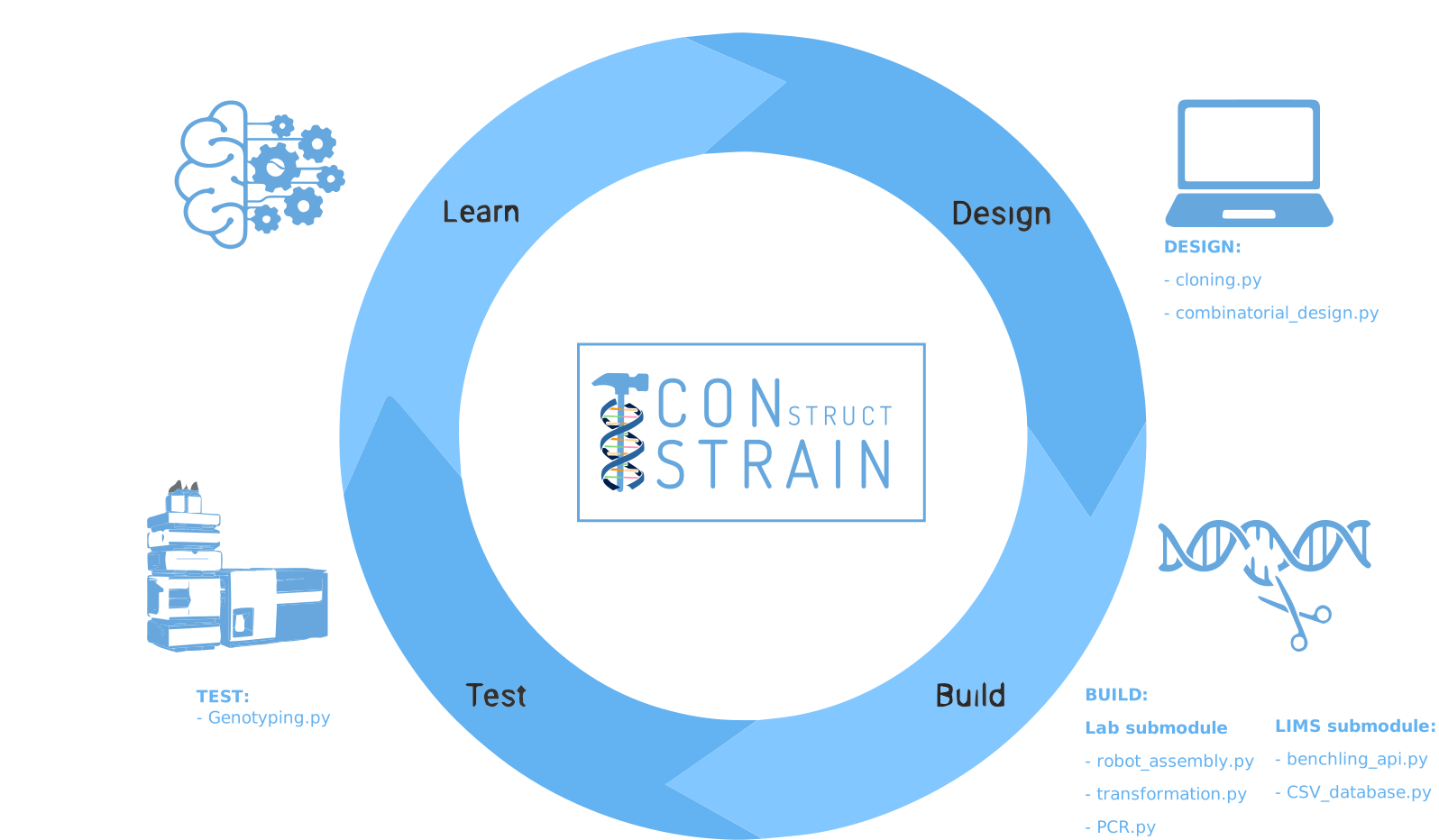
ConStrain is an easy-to-use python package with functions that can be used in literate programming to simulate steps of a strain construction cycle from generating genetic parts, to designing a combinatorial library along with instructions for the assembly. A fully integrated LIMS system is presented to keep track of samples and allocation through both a commercial Benchling API and a low-level CSV file database.
Here, we demonstrate the use of ConStrain in a complex machine learning-guided metabolic engineering task. We envision that literate programming for biology can be adapted for any experimental workflow and be mixed and matched for the benefit of the user. As this tool is built to be flexible through its open-source Python platform, future repetitive tasks can be automated and thus increase the speed at which we engineer biology.
Curious about how you can build strains easier and faster? Head over to our Google Colab notebooks and give it a try.
Please cite our paper (link tba) if you’ve used ConStrain in a scientific publication.
Features
Combinatorial library generation
HT cloning and transformation workflows
Flowbot One instructions
CSV-based LIMS system as well as integration to Benchling
Genotyping of microbial strains
Advanced Machine Learning of biological datasets with the AutoML H2O
Workflows for selecting enzyme homologs
Promoter selection workflows from RNA-seq datasets
Data analysis of large LC-MS datasets along with workflows for analysis
Getting started
To get started with making microbial strains in an HT manner please follow the steps below:
Install ConStrain. You will find the necessary information below for installation.
Check out our notebooks for inspiration to make HT strain construction with ConStrain.
You can start making your own workflows by importing ConStrain into either Google colab or Jupyter lab/notebooks.
Colab notebooks
As a proof of concept we show how ConStrain and literate programming can be used to streamline bioengineering workflows. These workflows should serve as a guide or a help to build your own workflows and thereby harnessing the power of literate programming with ConStrain.
Specifically, in this study we present how ConStrain and literate programming to build simulation-guided, iterative, and evolution-guided laboratory workflows for optimizing strictosidine production in yeast.
Below you can find all the notebooks developed in this work. Just click the Google colab badge to start the workflows.
First DBTL cycle
DESIGN:
Describes how we can automatically fetch homologs from NCBI from a query in a standardizable and repeatable way
 .
.Describes how promoters can be selected from RNAseq data and fetched from online database with various quality measurements implemented
.Describes how a combinatorial library can be generated with the DesignAssembly class along with robot executable intructions
.
BUILD:
Describes the assembly of a CRISPR plasmid with USER cloning
.Describes the construction of the background strain by K/O of G8H and CPR
.Shows how the first combinatorial library was generated for 1280 possible combinations
.
TEST:
Describes data processing of LC-MS data and genotyping of the generated strains
.
LEARN:
Describes how we use AutoML to predict the best combinations for a targeted second round of library construction
.
Second DBTL cycle
DESIGN:
Shows how results from the ML can be translated into making a target library of strains
.
BUILD:
Shows the construction of a targeted library of strains
.
TEST:
Describes the data processing of LC-MS data like in notebook 7
.
LEARN:
Second ML cycle of ML showing how the model increased performance and saturation of best performing strains
.
Installation
Use pip to install ConStrain from PyPI.
$ pip install constrain
If you want to develop or if you cloned the repository from our GitHub you can install ConStrain in the following way.
$ pip install -e <path-to-constrain-repo>
You might need to run these commands with administrative
privileges if you’re not using a virtual environment (using sudo for example).
Please check the documentation
for further details.
Documentation and Examples
Documentation is available on through numerous Google Colab notebooks with examples on how to use ConStrain and how we use these notebooks for strain construnction. The Colab notebooks can be found here constrain.notebooks.
Documentation: https://constrain.readthedocs.io.
Contributions
Contributions are very welcome! Check our guidelines for instructions how to contribute.
License
Free software: MIT license
Credits
This package was created with Cookiecutter and the audreyr/cookiecutter-pypackage project template.
ConStrains logo was made by Jonas Krogh Fischer. Check out his website.